
×

Why Do You Need a Server Rack PDU?

A server rack can look orderly while its power connections remain difficult to manage. Servers, switches, and storage devices all need dependable power, often from several outlets packed into a narrow space. A Server Rack Pdu distributes power to this equipment from a central, rack-mounted unit. That matters.

Instead of stretching individual cords toward wall outlets, technicians can connect devices close to where they are installed. This can make cable paths easier to inspect and help teams identify which equipment is connected to each outlet. Some models also provide outlet-level monitoring or remote switching, but features vary. Buyers should check the unit’s rating, outlet types, mounting style, and monitoring functions against their actual equipment and site requirements.

A PDU does not create more electrical capacity or replace sound planning. The total load, circuit limits, plug compatibility, and available cooling all deserve careful review. Small details count. For example, a cord crossing the rear of a rack can obstruct access during maintenance, while an unclear outlet label can slow troubleshooting. In practice, the right choice depends on the rack layout and how staff maintain it. Even a well-specified unit can be poorly used if loads are not tracked. A Server Rack Pdu is therefore more than a power strip, but it is not a cure-all. Understanding its role helps data center teams build safer, clearer, and more manageable power arrangements.
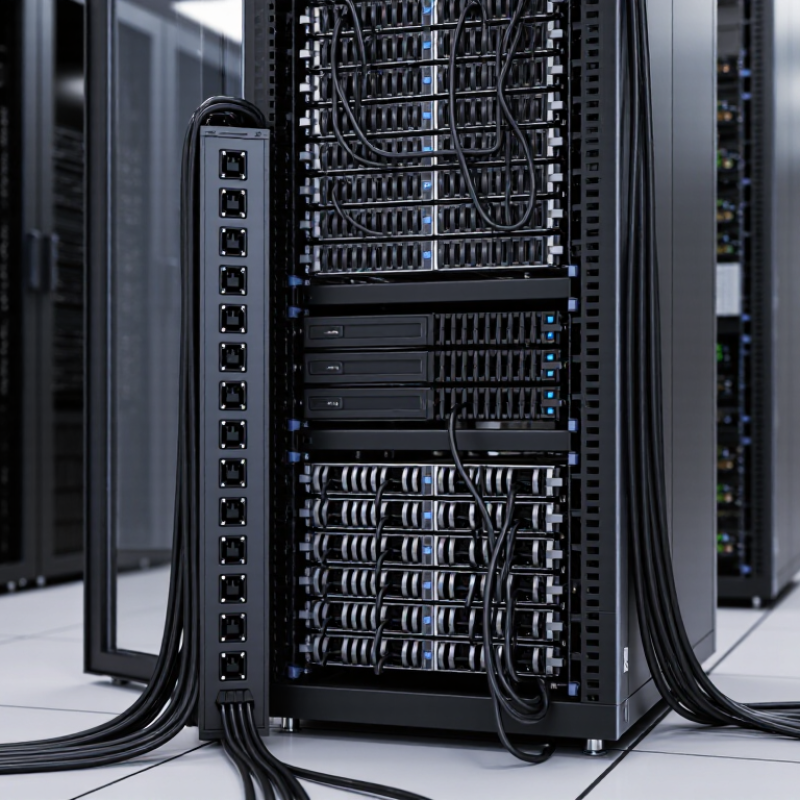
Why Do You Need a Server Rack PDU?

What a Server Rack PDU Is and How It Distributes Power

A server rack PDU is the rack’s power distribution point. It takes an incoming supply from a UPS or facility circuit and routes it through outlets to servers, switches, and storage equipment. Think of a vertical strip mounted beside the rails: one feed enters, then several cords branch out to devices. Simple, but not trivial.

The PDU does not create backup power. That job belongs to the UPS or another power system. Basic models provide outlets; metered models show load, while switched models can control individual outlets remotely. Capacity, input voltage, phase, outlet type, and plug compatibility all matter. A mismatch can leave usable outlets stranded. Easy to overlook.

The Uptime Institute’s 2024 Global Data Center Survey reported an average data-center PUE of 1.56. PUE measures total facility energy against IT equipment energy; it is not a PDU efficiency score. Still, accurate rack-level load readings help operators understand where power is going and avoid overloading a circuit. Numbers help. They do not replace checking the actual wiring, labels, and load limits. A PDU is a distribution tool, not a cure for poor planning.

Why Do You Need a Server Rack PDU?

A server rack PDU (Power Distribution Unit) distributes power from a rack’s electrical supply to connected IT equipment. This illustrative chart shows how the load might be distributed across eight PDU outlets.

Illustrative example only. Actual outlet loads depend on the connected equipment and should be verified with appropriate metering.

How a Rack PDU Connects Equipment to Reliable Power

A rack PDU connects a facility’s power supply to the servers, switches, and storage devices mounted in a cabinet. Power enters through an input cable and is distributed across multiple outlets. That sounds simple. But the connection matters: outlet types, voltage, and circuit capacity must match the equipment and available supply. A mismatch can leave a device unplugged or overload a circuit.

Inside a busy rack, cables can obscure outlet labels and block airflow. A PDU mounted along the side or rear keeps power connections close to equipment, reducing long cable runs across the cabinet. Some models also measure current or report outlet status remotely. These readings help staff spot an uneven load before a breaker trips. Monitoring is useful, but it cannot replace careful capacity planning.

Redundant power supplies can connect to separate PDUs, ideally fed by independent circuits. This arrangement may keep equipment running during a single power-path failure, though it does not protect against every outage. The details are easy to miss. Check the rack’s total demand, connector fit, and available circuit capacity before installation. A tidy rack is not automatically a reliable one; labels and a clear load plan still matter.

How PDUs Improve Power Management and Equipment Organization

Why Do You Need a Server Rack PDU?

A rack PDU does more than divide power among servers. It places outlets within reach, helps route cables neatly, and can make routine maintenance safer and faster. Metered models show rack-level power use; switched models can remotely control selected outlets. These features help technicians spot uneven loads and identify which device needs attention. The International Energy Agency’s Electricity 2024 report estimates that data centres used about 460 TWh of electricity worldwide in 2022, with demand potentially exceeding 1,000 TWh by 2026. That scale makes visibility valuable, though a PDU alone cannot reduce overall energy use.

Tips: Label both ends of each power cord. Keep outlet numbers visible. Check load readings against equipment requirements, and leave room for future devices. Never assume a tidy rack is a balanced rack. Phase balancing and circuit planning should follow the facility’s electrical design, with qualified staff involved.

In practice, an organized PDU can reduce troubleshooting guesswork: a technician can trace a cable from a labeled outlet to a server without disturbing neighboring connections. Remote outlet control may also help with recovery when a device stops responding, but it is not a substitute for diagnosing the fault. Some racks still become cluttered over time. Review cable paths and power loads during regular maintenance, not only after an outage.

How Monitoring and Protection Reduce Rack-Level Risks

A server rack can look tidy while its electrical margin quietly disappears. A server rack PDU helps teams see load at the rack or circuit level, rather than relying on a room-wide estimate. Readings can reveal a rising current draw before a breaker trips. With outlet-level monitoring, where available, staff can also identify which device is consuming power. Small clues matter.

The stakes are measurable. Uptime Institute’s 2024 Annual Outage Analysis found that 54% of surveyed organizations reporting a significant outage said their most recent incident cost more than $100,000; 16% put the cost above $1 million. These figures cover outages broadly, not PDU failures alone. Still, they show why early warnings and clear power records deserve attention. A dashboard cannot repair a loose connection.

Protection features add another layer. Circuit-breaker status, load thresholds, and temperature probes can help teams spot overloads or unusual heat near the rack. Alerts also support safer capacity planning before adding servers. But alarms can become noise if thresholds are poorly set, and monitoring cannot replace inspection or upstream protection. That is an imperfect truth. A useful PDU makes risks more visible, not impossible.

Why Do You Need a Server Rack PDU? - How Monitoring and Protection Reduce Rack-Level Risks

PDU capability Information or protection provided Rack-level risk reduced Practical use
Current and power monitoring Reports electrical measurements such as current, voltage, and power, depending on the PDU model and measurement points. Reduces the chance that rising load or an unevenly loaded supply goes unnoticed. Review rack load before adding equipment and compare readings across power feeds.
Load thresholds and alerts Networked models can issue notifications when configured measurements pass user-defined thresholds. Helps identify a developing overload condition before it causes an unexpected circuit interruption. Set alert levels with reference to the applicable circuit and PDU ratings, leaving appropriate operating margin.
Branch-circuit monitoring On supported models, measures load on individual branch circuits as well as, or instead of, total input load. Makes it easier to spot an overloaded branch that may be hidden by a normal-looking overall rack total. Check branch readings when equipment is moved or when new devices are connected.
Outlet-level metering Some models report power use for individual outlets, helping associate consumption with connected devices. Reduces uncertainty when tracking unusually high or changing device loads. Use outlet readings to support capacity planning and investigate unexpected load changes.
Temperature monitoring A PDU with compatible environmental sensors can report temperature near a sensor’s location. Helps reveal a localized rise in rack temperature that may not be apparent from room-level readings. Place sensors where they can provide useful information about the rack environment; sensor coverage varies by setup.
Outlet switching Switched models allow authorized users to control power to individual outlets remotely. Can limit the need for physical access during a planned power cycle, while reducing accidental interruption of unrelated devices. Use documented procedures and verify the target outlet before switching power.
Overcurrent protection Depending on its design, a PDU may include circuit breakers or other protective devices rated for its intended electrical system. Provides protection against specified overcurrent conditions when correctly selected and installed. Match the PDU, branch circuit, connectors, and local electrical requirements; monitoring is not a substitute for protective devices.
Input-feed visibility Where supported, monitoring can show the status or electrical measurements of a PDU’s input supply. Helps operators distinguish a rack-load issue from a supply or feed issue during troubleshooting. Review feed readings alongside server power-supply and facility monitoring information.

Features vary by PDU type and model. Confirm electrical ratings, measurement coverage, sensor compatibility, and protection requirements before deployment.

How to Choose a PDU for Your Server Rack Setup

Choosing a PDU starts with the rack’s real electrical load, not its empty outlet count. List each server’s input voltage, plug type, and maximum draw, then check the rack’s circuits and available capacity. Leave room for growth; a rack that runs near its limit today may become difficult to manage after one more server. Margins matter.

Match the PDU’s input connection and outlet layout to your site, and decide whether local metering or remote monitoring is useful. Switched outlets can support remote power cycling, while A/B feeds help compatible equipment connect to separate power paths. Check the labels. Uptime Institute’s 2024 Annual Outage Analysis reported that 54% of significant outages cost more than $100,000. That figure is not a PDU-specific risk estimate, but it underscores the value of careful power planning. Also verify mounting orientation, cord reach, and airflow clearance before installation; these details are easy to overlook on a crowded rack. I would still recheck the load calculations after deployment, since actual demand can differ from equipment nameplate ratings.