
×

How to Choose a Wireless Intercom Speaker in 2026?

Choosing a Wireless Intercom Speaker in 2026 requires more than comparing prices and advertised range. The right model must remain clear beside running machinery, crowded corridors, and unpredictable radio interference. It should also feel natural in daily use. A speaker that looks impressive on a product page may become frustrating after several hours of work.

Industry communications specialist Chris Lyons offers a practical perspective: “A reliable intercom starts with the users, not the feature list.” That principle deserves attention. Ask who will speak, who will listen, and how quickly messages must travel. A warehouse team may need loud, hands-free announcements. A school may value controlled volume and simple pairing. A production crew may prioritize low delay, headset compatibility, and dependable coverage between rooms.

Small details matter. Test the speaker near metal shelving, concrete walls, and active wireless devices. Listen for clipped voices, delayed replies, and sudden volume changes. Check battery performance during a full shift, not only during a short demonstration. Confirm whether the system supports multiple units without complicated setup. Simple is powerful.

But no device is perfect. Even a strong Wireless Intercom Speaker can struggle in a noisy location or poorly planned network. That is where careful testing becomes more valuable than bold specifications. Consider repair support, firmware updates, privacy controls, and user training before purchasing. The cheapest option may cost more when communication fails. Choose for the real environment, not the showroom.
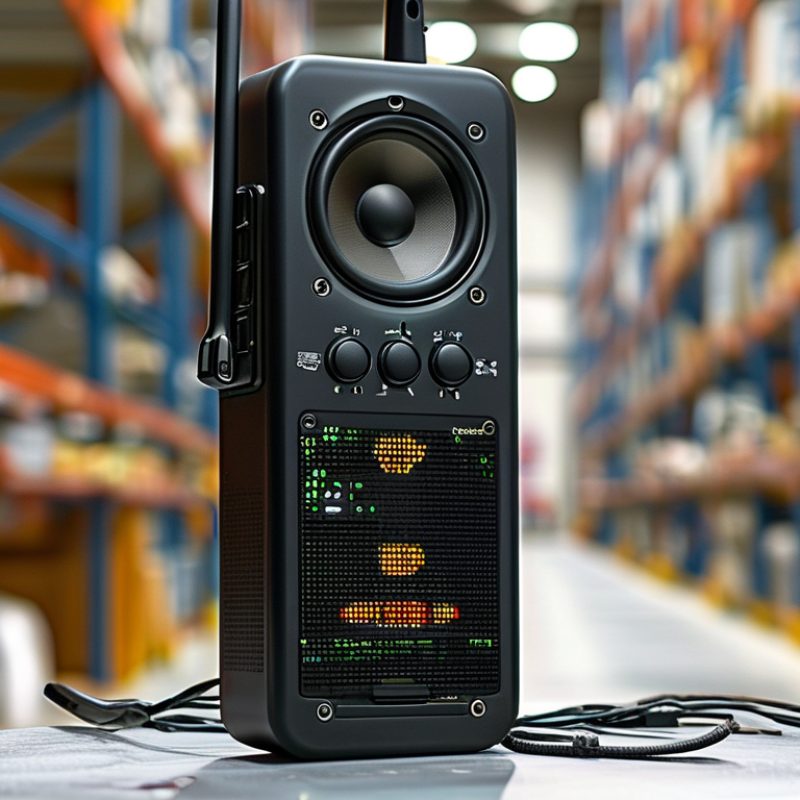
How to Choose a Wireless Intercom Speaker in 2026?

What Is a Wireless Intercom Speaker and How Does It Work?

A wireless intercom speaker is a two-way voice device without a fixed cable between rooms, gates, or work areas. Its microphone captures speech, then a codec compresses the audio. A radio module sends the signal through Wi-Fi, Bluetooth, or a dedicated low-power network. The receiving unit decodes it and drives the speaker. That process usually takes milliseconds, but crowded radio channels can add delay.

The Bluetooth SIG’s Bluetooth Market Update 2024 forecasts annual Bluetooth device shipments rising from 5.4 billion in 2024 to 7.6 billion by 2028. This growth supports wider component availability, but it does not guarantee reliable intercom performance. Bluetooth suits short-range room communication. Wi-Fi usually provides broader coverage and app integration. Dedicated systems can offer steadier links across larger sites. Walls still matter.

When choosing in 2026, check measured range, microphone pickup, battery endurance, and audio latency. The Wi-Fi Alliance notes that network congestion and building materials can affect real-world wireless performance. Look for secure pairing, encrypted traffic, local operation, and clear status indicators. I would test two units behind actual doors, not only in an open showroom. Marketing range figures often feel optimistic. A quiet voice, metal cabinet, or weak router may expose the difference. Reliability is sometimes less impressive than convenience.

Which Wireless Intercom Features Matter Most in 2026?

In 2026, wireless intercom selection depends less on flashy specifications and more on dependable daily performance. Clear, low-latency speech should be the first test. A delayed reply can disrupt a loading bay, clinic corridor, or busy reception desk. Walk between rooms while speaking. Check whether voices remain natural through concrete walls and metal doors.

Security features matter more than many buyers expect. Choose strong end-to-end encryption, secure pairing, role-based access, and automatic firmware updates. Local controls are useful when internet service fails. Battery information should be visible, not hidden inside an application. A removable battery or charging dock can reduce downtime during long shifts. I have seen excellent systems become inconvenient because staff forgot one charging routine.

Range claims need careful interpretation. Manufacturers often measure distance in open spaces, not crowded buildings. Ask for results with walls, elevators, and electrical equipment nearby. Weather resistance is essential for gates, warehouses, and outdoor service points. Look for clear ratings and tested operating temperatures. Accessible controls also matter, including large buttons, visual alerts, and adjustable volume. Compatibility with existing door stations or emergency communication equipment can prevent expensive replacement work. Some advanced features may sound impressive but remain unused. That is worth questioning before purchase.

How to Compare Audio Quality, Range, and Battery Life

How to Choose a Wireless Intercom Speaker in 2026?

How to Compare Audio Quality, Range, and Battery Life

A wireless intercom speaker should sound clear before it sounds loud. Test speech with a normal speaking voice, a running fan, and closed doors. Listen for sharp consonants, hollow voices, and delayed audio. A practical model keeps words understandable at moderate volume. Maximum volume can hide distortion. I learned this after choosing a unit that sounded impressive outdoors but harsh indoors.

Range testing needs realistic obstacles. Measure the distance in an open hallway, then repeat through two interior walls. Note when voices crackle, fade, or disconnect. Metal shelves, concrete, and wireless congestion can reduce performance. Published range figures often describe empty outdoor space. That is useful, but incomplete. Keep the speaker at chest height during testing, and use the same route each time. Record results rather than trusting memory.

Battery life depends on listening habits. Continuous playback, frequent replies, and high volume drain power quickly. Run a timed test at your usual volume, not the advertised setting. Check how long the speaker works after one hour of charging. Also inspect the battery indicator; vague percentages create poor planning. My own test was imperfect because I changed volume midway. That mistake made the result less reliable. Repeat the test on separate days. Look for steady performance, clear speech, and enough reserve for an unexpectedly long conversation.

How to Choose a Wireless Intercom Speaker in 2026? — Comparing Audio Quality, Range, and Battery Life
Wireless Intercom Profile Typical Speaker Size Audio Quality Effective Range Battery Life Typical Latency Weather Protection Charging Time Weight per Unit Best Use Case Main Trade-Off
Compact Short-Range Unit
Entry-level wireless intercom
40–50 mm driver Clear speech in quiet rooms; limited bass and moderate loudness.
★★★★☆
80–150 m outdoors with clear line of sight
20–40 m indoors
8–12 hours of normal use Usually below 100 ms Normally indoor use only; often no formal IP rating 2–3 hours 180–300 g Shorter range and weaker performance in noisy environments
Balanced General-Purpose Unit
Mid-range portable intercom
50–57 mm driver Balanced voice reproduction with improved volume and microphone clarity.
★★★★☆
150–300 m outdoors with clear line of sight
40–80 m indoors
12–20 hours of normal use 40–80 ms Basic splash resistance is common; check for an IP rating before outdoor use 2.5–4 hours 250–450 g Range decreases substantially through reinforced concrete and metal walls
Long-Range Digital Unit
Extended-coverage intercom
50–65 mm driver Strong speech intelligibility, digital noise reduction, and higher maximum volume.
★★★★★
300–800 m outdoors with clear line of sight
80–150 m indoors
16–30 hours of normal use 30–70 ms Often rated IP54 or higher, depending on the enclosure 3–5 hours 350–650 g Higher cost, larger size, and performance depends on radio conditions
Full-Duplex Team Unit
Professional hands-free intercom
40–60 mm driver with multiple microphones Natural two-way conversation with echo cancellation and automatic microphone control.
★★★★★
100–500 m outdoors, depending on the radio system
30–100 m indoors
8–18 hours of continuous or mixed use 20–60 ms Commonly IP54–IP67 in professional configurations 2–4 hours; charging docks are often available 300–700 g Shorter battery life when multiple users transmit continuously
Outdoor High-Volume Unit
Rugged loudspeaker intercom
60–75 mm driver High voice volume and strong midrange projection for noisy outdoor areas.
★★★★☆
200–600 m outdoors with clear line of sight
50–120 m indoors
10–22 hours of normal use Usually IP55–IP67 when properly sealed 50–80 ms 3–6 hours 500–950 g Heavier design and less detailed audio than smaller indoor units
Network-Based Smart Unit
Wi-Fi or cellular-connected intercom
45–65 mm driver Good voice quality with app features, but audio depends on network stability.
★★★★☆
Local Wi-Fi coverage or cellular coverage
Internet-based distance is not limited by a fixed radio range
6–15 hours of active use; longer standby time 80–250 ms, depending on network conditions Indoor models are common; outdoor versions may offer IP54–IP65 2–4 hours 250–600 g Requires reliable Wi-Fi or cellular service and may introduce noticeable delay

Note: Range figures are practical estimates under favorable conditions with a clear line of sight. Walls, metal structures, electrical interference, terrain, network congestion, volume level, and transmission frequency can reduce actual performance. Battery-life figures assume mixed standby, listening, and speaking use; continuous transmission normally reduces runtime.

What Compatibility, Security, and Installation Factors Should You Check?

How to Choose a Wireless Intercom Speaker in 2026?

Compatibility should be checked before appearance or sound quality. Confirm the speaker supports your network band, usually 2.4 GHz, 5 GHz, or both. Check whether it works with your intercom controller, mobile operating system, and existing door station. Audio codecs and connection standards can also affect clarity. A device may connect successfully but still fail during two-way calls. I have seen this happen during a quick installation. The specifications looked similar, but the control software was incompatible.

Security deserves close attention. Choose equipment supporting encrypted communication, secure login methods, and regular firmware updates. Change the default password immediately. Use a separate network for connected devices when possible. Check whether recordings or call data depend on remote servers. Clear privacy settings matter, especially near bedrooms, entrances, or shared hallways. A product can sound excellent and still create unnecessary exposure. That trade-off is easy to overlook.

Installation requirements are more practical than many buyers expect. A wireless speaker still needs reliable power, unless its battery is designed for frequent charging. Measure the distance to the router, then test the signal behind walls and metal doors. Place the speaker near ear level, away from heavy traffic noise. Check weather resistance for outdoor mounting. Leave room for service access. Do not trust the advertised range completely; building materials can reduce it sharply. A short trial installation is often wiser than permanent drilling.

How to Choose a Wireless Intercom Speaker in 2026?

This practical evaluation model gives the highest priority to compatibility and security, because a wireless intercom should work reliably with the existing network, devices, and access controls. Installation effort, audio performance, and power management should also be checked before purchase.

How to Choose the Best Wireless Intercom Speaker for Your Needs

Choosing the best wireless intercom speaker starts with the working environment, not the product catalog. Measure the room. A warehouse with metal racks needs stronger penetration than a quiet reception desk. NIOSH recommends limiting occupational noise exposure to 85 dBA over an eight-hour shift. Therefore, choose clear speech before maximum loudness (NIOSH, Criteria for a Recommended Standard). A speaker with adjustable volume, echo control, and a visible mute indicator is more practical than one advertising extreme output.

Wireless performance also deserves careful testing. The 2.4 GHz band can become crowded near Wi-Fi equipment, scanners, and Bluetooth devices. ETSI EN 300 328 testing emphasizes efficient spectrum use and interference control for wideband transmission. Ask about operating range, encryption, battery endurance, and reconnection behavior. Test through walls, during shift changes, and beside running machinery. A claimed 300-meter range may shrink dramatically indoors.

User comfort matters every day. Select a speaker that workers can understand without leaning closer or repeating messages. Grand View Research’s 2024 intercom market analysis projects continued expansion through 2030, reflecting wider adoption across commercial and industrial sites. Growth does not guarantee suitability. I would not trust a clean specification sheet alone. In real use, buttons may be too small, alerts may sound harsh, and batteries may disappoint. Trial the unit with actual users, then record missed calls, charging time, and speech clarity before buying.