In 2026, choosing a Pda Barcode Scanner means matching a device to the work, not chasing the longest specification sheet. A busy stockroom needs quick, accurate reads from worn labels and distant shelves. A delivery team may care more about battery life, cellular connectivity, and a screen that stays readable outdoors. Small details matter. A scanner that feels heavy after an hour can slow a shift, even if its processor is powerful. The right choice depends on where it will be used, what it must scan, and who will carry it.
Security also belongs in the decision. Security technologist Bruce Schneier’s well-known reminder is, “Security is a process, not a product.” For a scanner, that means considering software updates, user access, and device management alongside the hardware. The checklist should be practical: test barcode types, scan distance, drop protection, operating-system support, and charging routines. Ask vendors for a hands-on trial with your actual labels. A showroom demo can flatter a device. Real warehouse lighting may not. This guide will compare core features, explain trade-offs, and help you build a shortlist for your workflow. No model is perfect, and a lower price can hide a costly compromise. Decide what your team can live with—and what it cannot.
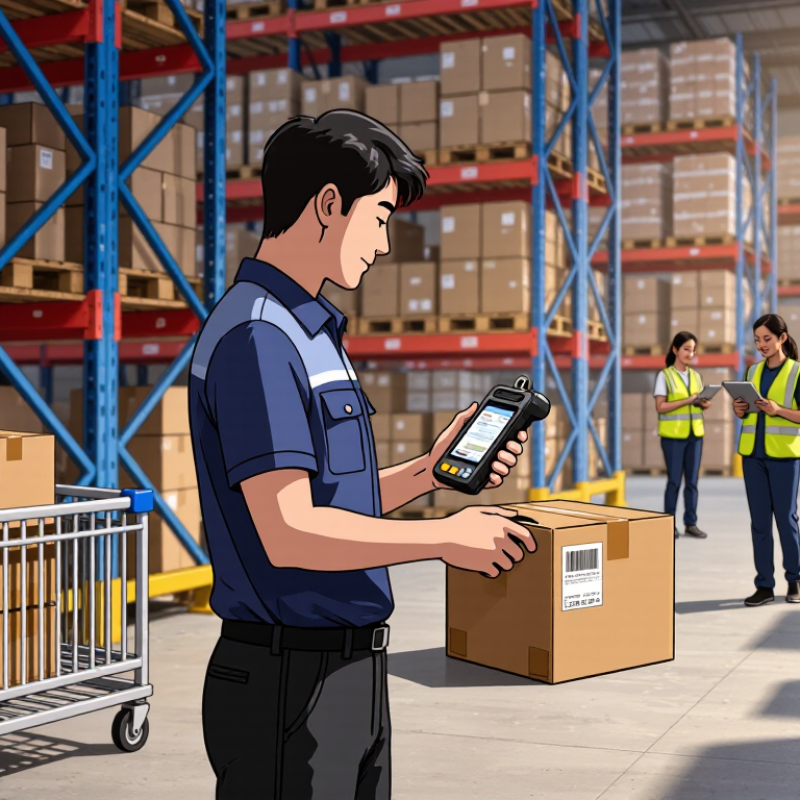
A PDA barcode scanner should fit the work, not just the device list. Map each scan point: a worker may read a tote label at arm’s length, then scan a small code while holding a part. Note whether scans happen while walking, wearing gloves, or using the other hand. These details affect grip, trigger placement, and screen readability. A tidy workflow chart can still miss an awkward reach.
List the barcode types and conditions the scanner must handle. A warehouse may use broad 1D labels on cartons, dense 2D codes on components, and codes displayed on phone screens. Include worn labels, glare, and curved packaging in the test set. Don’t assume a scanner that reads one clean sample will handle every real label. Test it. Record missed reads and rescans, not just successful scans.
Then define the required scan distance at each task. Close-up reading of a small, dense code differs from scanning a large pallet label across an aisle. Check the actual label size, print quality, angle, and lighting; published distance figures depend on these factors. Try the scanner from the worker’s normal position, including a full shift if possible. A short demo can feel convincing, but it may not reveal fatigue or repeated aiming. I would leave room for one imperfect test day before choosing.
Choosing a PDA barcode scanner in 2026 means checking more than its advertised scan range. The imager must read both GS1 DataMatrix and QR symbols, including small, curved, or lightly damaged labels. GS1’s General Specifications define how application identifiers carry details such as product codes, lot numbers, and expiration dates. A scanner that reads the pattern but mishandles these fields can still slow receiving or picking. Test the complete data string in your own software.
Capacity figures offer useful context, not a buying target. Under ISO/IEC specifications, a largest-size QR Code can hold up to 7,089 numeric characters, while a largest-size Data Matrix ECC 200 can hold up to 3,116. Actual GS1 payloads are smaller because formatting, error correction, and label space matter. Small details matter. For QR, confirm support for GS1 Digital Link; for DataMatrix, verify correct handling of GS1 separators and identifiers. Ask for tests using your smallest printed symbol, a scratched label, and a screen display. Then check whether the scanner sends clean, structured data. I would not trust a showroom demo alone; lighting and print quality there are usually too kind.
How to Choose a PDA Barcode Scanner in 2026?
IP67 is useful only when its test limits match the worksite. IEC 60529 defines IP6X as dust-tight protection and IPX7 as temporary immersion in water up to 1 metre for 30 minutes. These are specific test conditions, not a promise against every kind of water exposure. Not the full picture. A scanner in a shallow spill faces a different risk from one hit by a high-pressure wash. IP67 alone does not establish resistance to water jets, cleaning chemicals, or a damaged seal.
Ask for the IEC 60529 test report for the exact scanner configuration, including its battery and port covers. Check whether the report records immersion depth, duration, and post-test operation. That matters. In a warehouse, a loose battery door or worn seal can undermine protection, even when the original unit passed testing. IP67 also does not mean the scanner can operate underwater. Look for separate evidence if your workflow involves washdowns, repeated drops, or frequent temperature changes. I would still be cautious: a rating is reassuring, but real handling wears things down.
IP67 combines a dust-tight rating of 6 with a water-ingress rating of 7. Under IEC 60529, IPX7 covers temporary immersion in water up to 1 metre for 30 minutes under specified test conditions. Check the scanner’s documentation and confirm the rating suits your working environment.
When comparing a PDA barcode scanner in 2026, treat “tested to MIL-STD-810H” as a starting point, not proof of ruggedness. Method 516.8 covers shock testing, but the procedure, height, surface, orientations, and drop count determine what the claim actually means. A unit surviving one controlled fall may fail after repeated impacts on warehouse concrete. That distinction matters.
Tips: Request the test report, not just a badge. Ask for the exact procedure, drop height, impact surface, orientations, sample configuration, and pass criteria. Was the scanner powered on? Did it still decode a sample barcode after each impact? Check whether batteries, straps, and scan windows matched the shipping configuration. Ask for evidence.
Compare the test setup with real handling: waist-height slips, cold loading docks, grit around the scan window, and routine battery swaps. Inspect post-drop scanning, trigger response, housing seams, and charging contacts. Review warranty exclusions, too. Reports can be imperfect; ask what was not tested, and decide whether that gap matters in your operation.
A PDA barcode scanner should fit the worksite, not just look good on a specification sheet. Check Wi-Fi roaming across aisles, Bluetooth range at packing benches, and cellular coverage for off-site work. Ask for a live test in your own dead zones. Confirm the operating-system update schedule and security-support end date; an unsupported device can outlast its software.
Tips: Run a full-shift trial. Scan real labels, sync records, and use the screen at your normal brightness. Compare runtime at the end of the shift, not only the advertised maximum. A spare battery adds cost, but a mid-shift shutdown costs time.
For total cost of ownership, include devices, cradles, batteries, repairs, software management, and staff training. The U.S. Bureau of Labor Statistics reported a median annual wage of $37,680 for hand laborers and material movers in May 2023. That makes repeated charging delays worth measuring, even when each seems brief. Track failure rates and repair turnaround during a pilot. A neat spreadsheet can still miss awkward ergonomics or weak signal in a crowded stockroom. Choose the model that performs reliably under your actual workload, then review the numbers after deployment.
The profiles below describe common device tiers, not specific products. Specifications vary by configuration and test conditions. Three-year cost ranges are illustrative USD planning estimates per device; they include hardware, typical accessories, one battery replacement where applicable, and an allowance for repairs or support. They exclude software licenses, cellular service, taxes, and labor.
| Device profile | Connectivity | OS support to verify | Typical battery runtime | Scanning and durability | Estimated 3-year TCO per device | Best suited for |
|---|---|---|---|---|---|---|
| Light-duty / entry-level | Dual-band Wi-Fi is common; Bluetooth for peripherals. Cellular connectivity may be unavailable or optional. | Often Android. Confirm the promised security-update period, OS upgrade eligibility, and support end date before purchase. | About 8–12 hours in mixed-use conditions; heavy scanning, weak signal, and screen brightness can reduce runtime. | Typically suited to standard 1D and 2D barcode workflows. Check drop and ingress-protection ratings for the intended environment. | $600–$1,100 Lower purchase cost, but confirm repairability and battery availability. | Retail backrooms, light inventory, and lower-volume tasks in controlled environments. |
| Mid-range rugged | Usually dual-band Wi-Fi and Bluetooth; cellular options are commonly available on selected configurations. | Often Android with enterprise management features. Compare the written security-patch and OS-upgrade commitment across the full deployment period. | About 10–14 hours in mixed use. Swappable-battery options can help support multiple shifts. | Commonly available with 1D/2D imaging, rugged enclosures, and higher drop or dust-and-water protection than entry-level devices. Verify the exact rating. | $1,000–$1,900 Includes a typical rugged accessory and repair allowance. | Warehouses, distribution centers, and field operations with daily scanning. |
| High-performance rugged | Typically dual-band Wi-Fi, Bluetooth, and optional cellular; some configurations add features such as NFC or location services. | Often designed for managed enterprise fleets. Check update duration, operating-system version policy, device-management compatibility, and support availability. | About 12–18 hours in mixed use, depending on battery capacity, scan volume, radio use, and environmental conditions. | May offer faster scan engines, extended-range scanning, or options for specialized workflows. Rugged ratings and scan range are model- and configuration-specific. | $1,600–$3,000 Higher upfront cost may be offset by longer service life or reduced downtime. | High-volume logistics, demanding industrial sites, and operations where downtime is costly. |
| Compact / wearable-compatible | Usually Bluetooth to a host device or terminal; Wi-Fi and cellular availability depend on the handheld configuration. | Confirm support for the intended host OS, management tools, and any companion-device software for the full planned service life. | About 6–12 hours for compact handheld units; wearable setups may use a separate battery or require charging during long shifts. | Designed for portability and hands-free workflows. Check scanner type, charging method, and durability rating for the specific device. | $900–$2,200 May include a wearable or companion accessory and replacement allowance. | Picking, packing, and workflows where hands-free operation or reduced device size is important. |
| Selection checklist: Test scan speed and read range with your actual barcode labels; validate Wi-Fi coverage and cellular requirements; confirm OS and security support in writing; run a full-shift battery trial; and compare warranty, repair turnaround, accessories, and replacement-battery costs—not just purchase price. | ||||||