
What Is the Best Construction Management Software in 2026?
Choosing the best construction management software in 2026 is not simply a matter of comparing feature lists. A project team needs reliable drawings, current schedules, clear cost records, and decisions that reach the field without delay. When a superintendent checks a revision on a phone beside a noisy concrete pour, usability matters as much as the dashboard.
The cost of weak information flow is measurable. FMI and Autodesk’s 2021 report, Harnessing the Data Advantage, estimated that poor data practices cost the global construction industry $1.84 trillion in 2020. That figure is a warning, not a promise that software alone can recover those losses. McKinsey’s 2017 construction productivity study also found annual growth of about 1% over two decades, compared with 2.8% across the world economy. These figures describe long-standing industry pressures, not a forecast for every contractor.
The right Construction Management platform should fit how a company actually builds. That means checking document control, scheduling, estimating, field reporting, integrations, and support against real project workflows. A polished demo can hide awkward handoffs. And adoption is work. This guide compares leading options by practical capabilities, usability, pricing considerations, and team fit. No single product is best for every builder; company size, project type, and existing systems can change the answer. The aim is a grounded shortlist, with trade-offs made visible before anyone moves live projects into a new system.
What Construction Management Software Does and Who Uses It
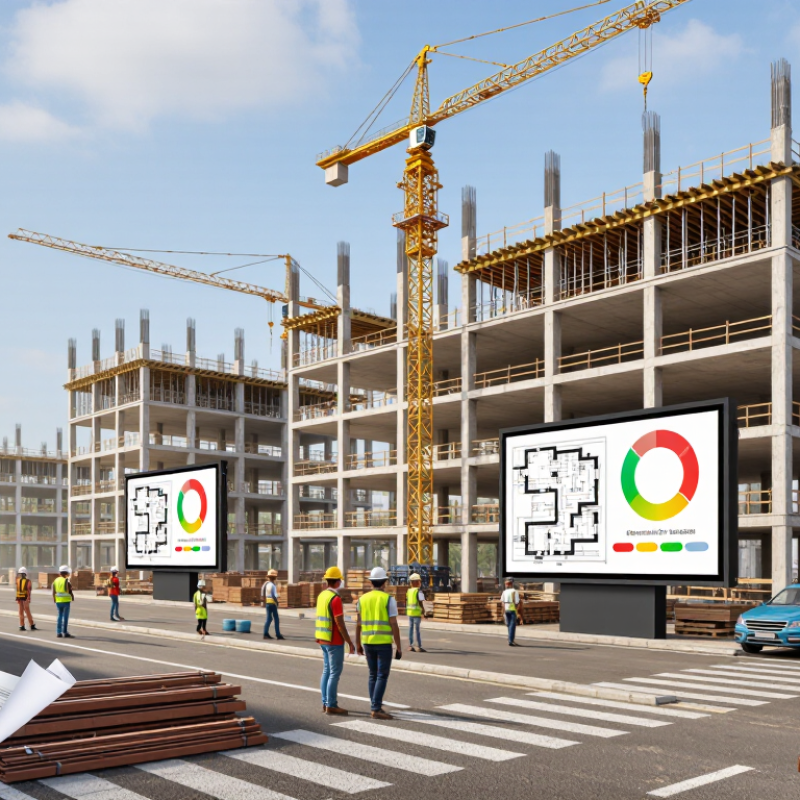
Construction management software gives project teams one place to coordinate schedules, documents, tasks, costs, and field updates. It can connect a site supervisor’s daily notes with a project manager’s schedule and an office team’s records. Some tools also track drawing revisions, approvals, safety observations, and outstanding work. Features differ, so teams should check whether a platform fits their actual workflows before adopting it.
Project managers use it to monitor milestones and flag delays. Site supervisors log progress, share photos, and assign follow-up tasks from the field. Contractors can review current drawings and report issues, while owners and designers may use controlled access to follow progress or respond to requests. That matters. A crew working from an outdated plan can waste time, even when the software itself is well organized. Clear permissions and reliable training help, but they do not replace careful communication. In practice, teams may still keep duplicate spreadsheets for a while. That is a useful warning sign, not an instant failure.
Tips: Start with one live project and a small set of essential workflows. Check who updates each record, how changes are tracked, and whether field staff can use the system easily on a phone. Ask users what feels clumsy. Their answers may reveal gaps a polished demonstration misses.
What Is the Best Construction Management Software in 2026? — What Construction Management Software Does and Who Uses It
| Software Capability | What It Does | Typical Users | Common Project Stage | Information Managed | What to Evaluate |
|---|---|---|---|---|---|
| Project coordination | Organizes project communication, responsibilities, requests for information, and action items in a shared workspace. | Project managers, general contractors, subcontractors, architects, and owners | Preconstruction through closeout | Messages, meeting minutes, questions, decisions, and task assignments | Ease of use, searchable records, permission controls, and clear ownership of follow-up tasks |
| Document and drawing control | Stores, distributes, and tracks revisions of drawings, specifications, submittals, and other project documents. | Document controllers, design teams, project managers, and field supervisors | Design, procurement, and construction | Drawing revisions, specifications, approvals, transmittals, and document history | Revision visibility, reliable access in the field, approval workflows, and audit trails |
| Scheduling and look-ahead planning | Creates and updates activity schedules, identifies dependencies, and helps teams coordinate upcoming work. | Schedulers, project managers, superintendents, and trade contractors | Preconstruction and construction | Activities, dates, dependencies, milestones, constraints, and progress updates | Schedule update methods, relationship to field tasks, reporting, and compatibility with existing planning practices |
| Field reporting and daily logs | Records site conditions and work completed, often using mobile devices, photos, and structured forms. | Superintendents, forepersons, field engineers, and project managers | Construction | Labor, equipment, weather, deliveries, work areas, delays, and site photos | Mobile usability, offline access, consistent forms, and easy retrieval of dated records |
| Cost and commitment tracking | Tracks budgets, purchase orders, subcontract commitments, change events, and cost forecasts. | Project accountants, cost engineers, project managers, and commercial teams | Preconstruction through closeout | Budget line items, commitments, invoices, changes, allowances, and forecast costs | Cost-code structure, approval controls, forecast accuracy, and integration with accounting processes |
| Change and contract administration | Documents proposed changes, evaluates their cost or schedule effects, and routes them for review and approval. | Project managers, contract administrators, owners, and subcontractors | Procurement and construction | Change requests, supporting documents, pricing, approvals, and schedule impacts | Traceable approvals, clear status tracking, consistent records, and links to budget and schedule information |
| Quality inspections and punch lists | Assigns inspections, records deficiencies, tracks corrective work, and verifies completion. | Quality managers, inspectors, superintendents, subcontractors, and owners | Construction and closeout | Checklists, inspection results, locations, photos, responsible parties, and due dates | Configurable checklists, location-based records, status visibility, and evidence of resolution |
| Safety management | Supports safety observations, inspections, incident reporting, corrective actions, and distribution of safety information. | Safety managers, site supervisors, workers, and project leadership | Construction | Hazard observations, inspection forms, incidents, corrective actions, and training records | Fast field reporting, appropriate access controls, consistent follow-up, and usable trend reports |
| Building information and model coordination | Helps teams view and coordinate digital building models and identify potential conflicts between systems or components. | BIM coordinators, designers, engineers, trade contractors, and construction managers | Design coordination and construction | Model views, component information, coordination issues, and assigned resolutions | Model viewing performance, supported file formats, issue tracking, and alignment with document revisions |
| Closeout and handover | Collects required completion records and organizes information for the owner’s operations and maintenance teams. | Project managers, commissioning teams, contractors, and facility managers | Commissioning and closeout | As-built records, warranties, operation manuals, equipment data, and completed checklists | Completeness checks, structured exports, owner requirements, and long-term access to records |
Related Posts
-
How to Choose the Right Construction Management Company?
-

Why Is Construction Management Important for Global Buyers?
-
7 Secrets to Mastering General Construction for Your Next Project
-

5 Essential Insights for Success in Commercial Construction Projects
-
Maximizing Value: The Key Advantages of Best General Construction for Global Buyers
-

2026 Best Construction General Contractor Tips and Trends?